Platform / Visual editor
Edit your live page. No code, no deploy.
Open your own site, point at what you want to change, and change it: wording, styling, layout, images, whole sections, or the code behind them. Every edit lands as one row in a change list you review, and nothing reaches a visitor until you launch it.
The copilot works in the same editor. Describe a change in plain English and it builds one for you, in your site’s own colours and type. It lands in that same list, waiting for that same review.
Change anything by pointing at it.
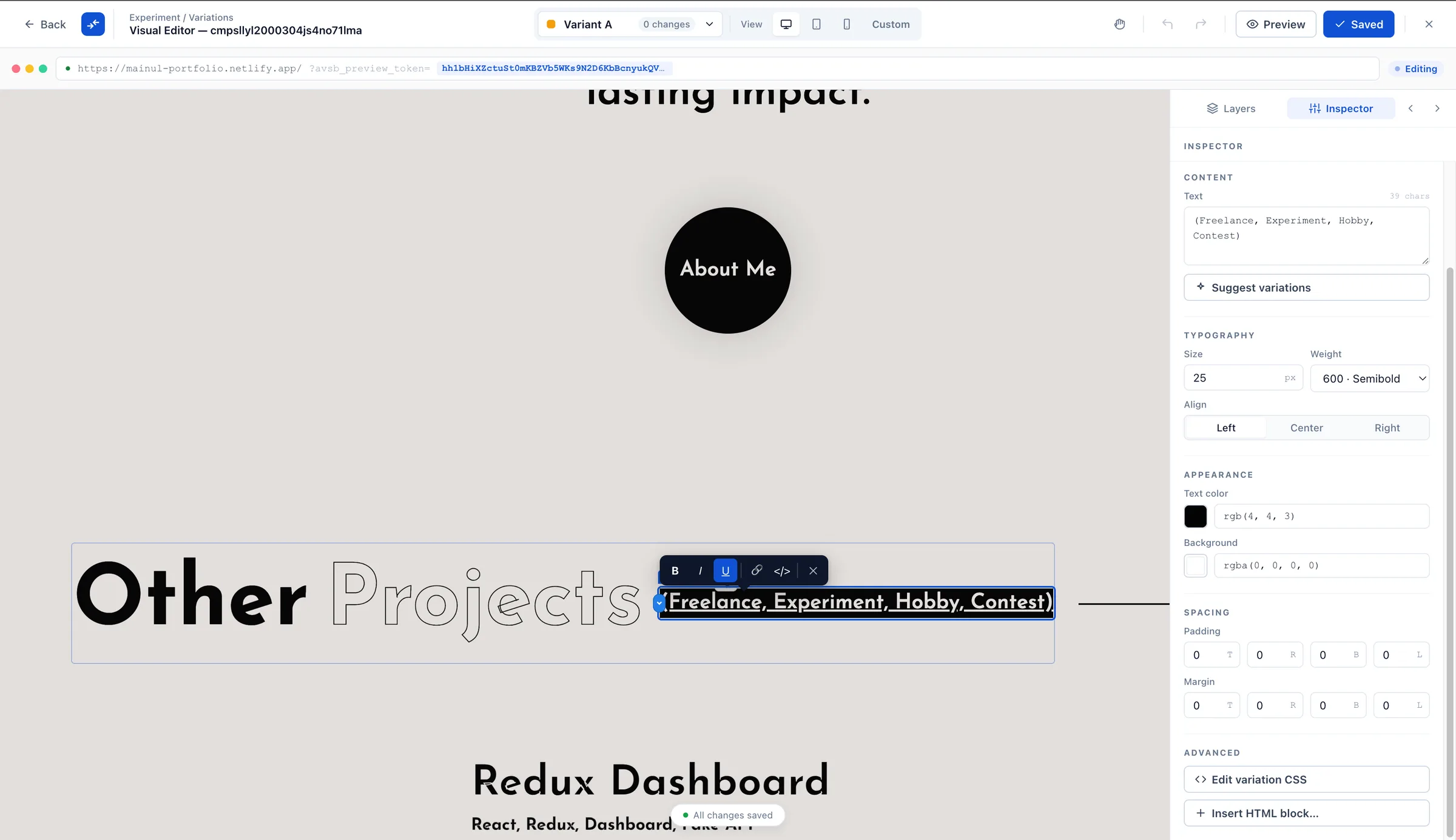
The editor opens from your experiment and loads on top of your own page, live. You are not editing a copy, a staging clone or a preview. You are editing the page your visitors see, and you watch it change as you work.
There are 8 kinds of change you can make by clicking, with no code at all:
- Text
- Style
- Visibility
- Image
- Reorder
- Insert
- Move
- Section
Two more never come from a click. Only the copilot proposes them, because each one needs a plan before it runs:
- Remove element
- Custom behaviour
Finding the right element is the slow part of every editor, so there are three ways to do it: click it on the page, open the page structure and pick it from the tree, or press Cmd+K for the command palette. A list of keyboard shortcuts sits beside it.
Change it for one screen size, not all of them
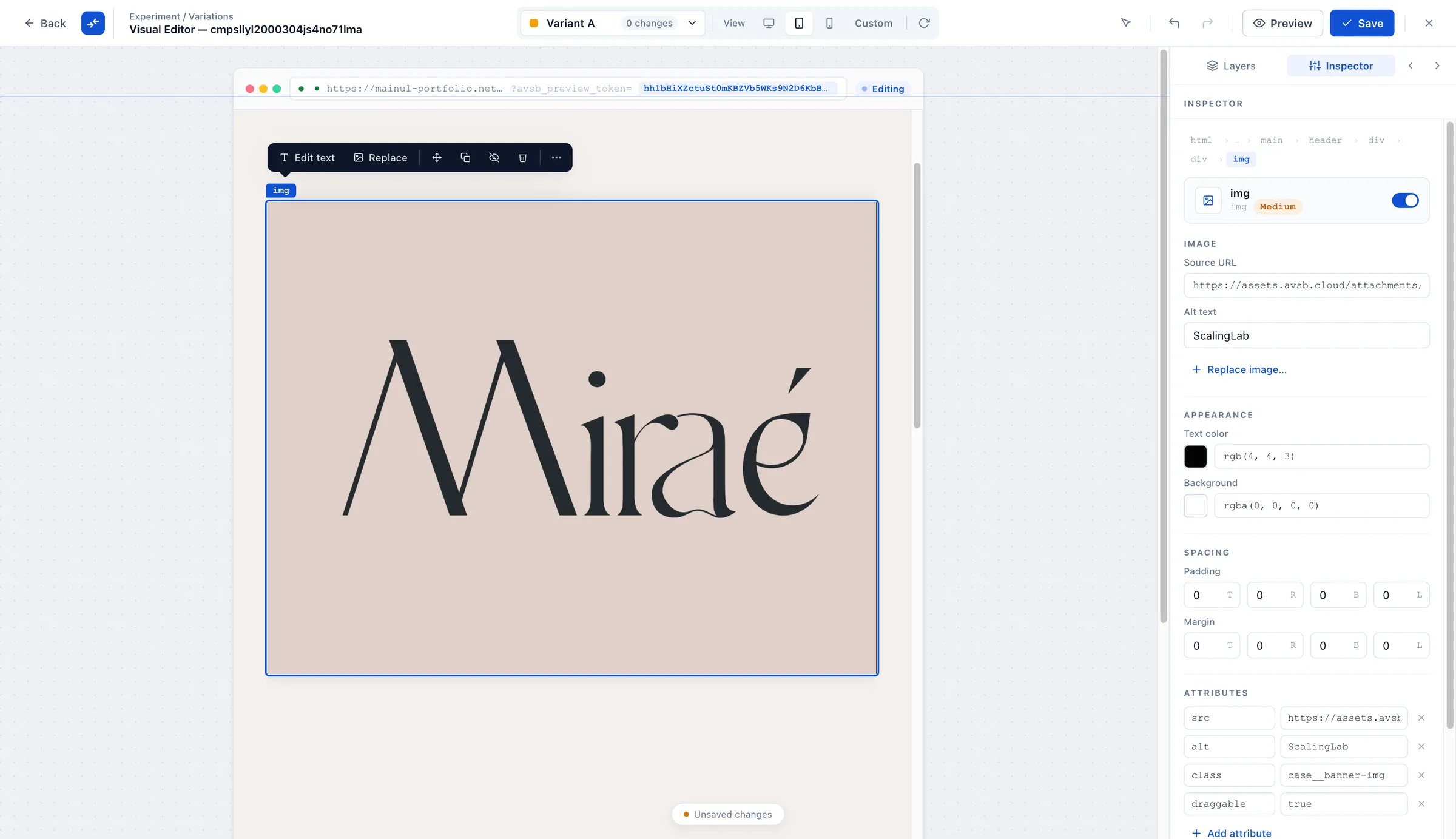
A headline that works on a laptop can run to four lines on a phone. So the editor has a width control, and it does more than preview. Pick a width, the page reflows to it, and every change you make while it is picked applies only at that width. There are 5 targets: all widths, mobile, tablet, desktop, and custom range. The last one is a minimum and maximum you set yourself.
See every change as its own row.
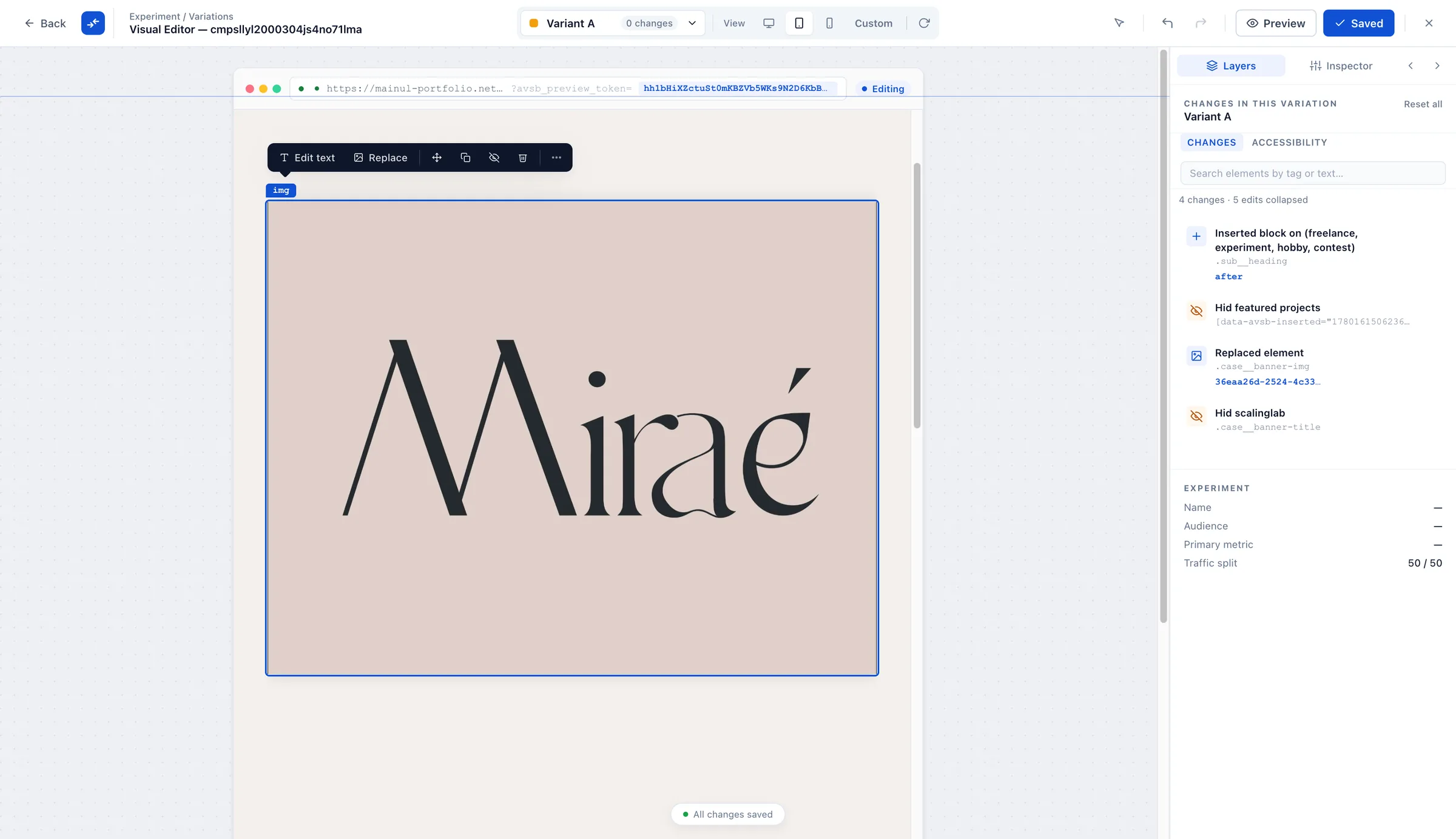
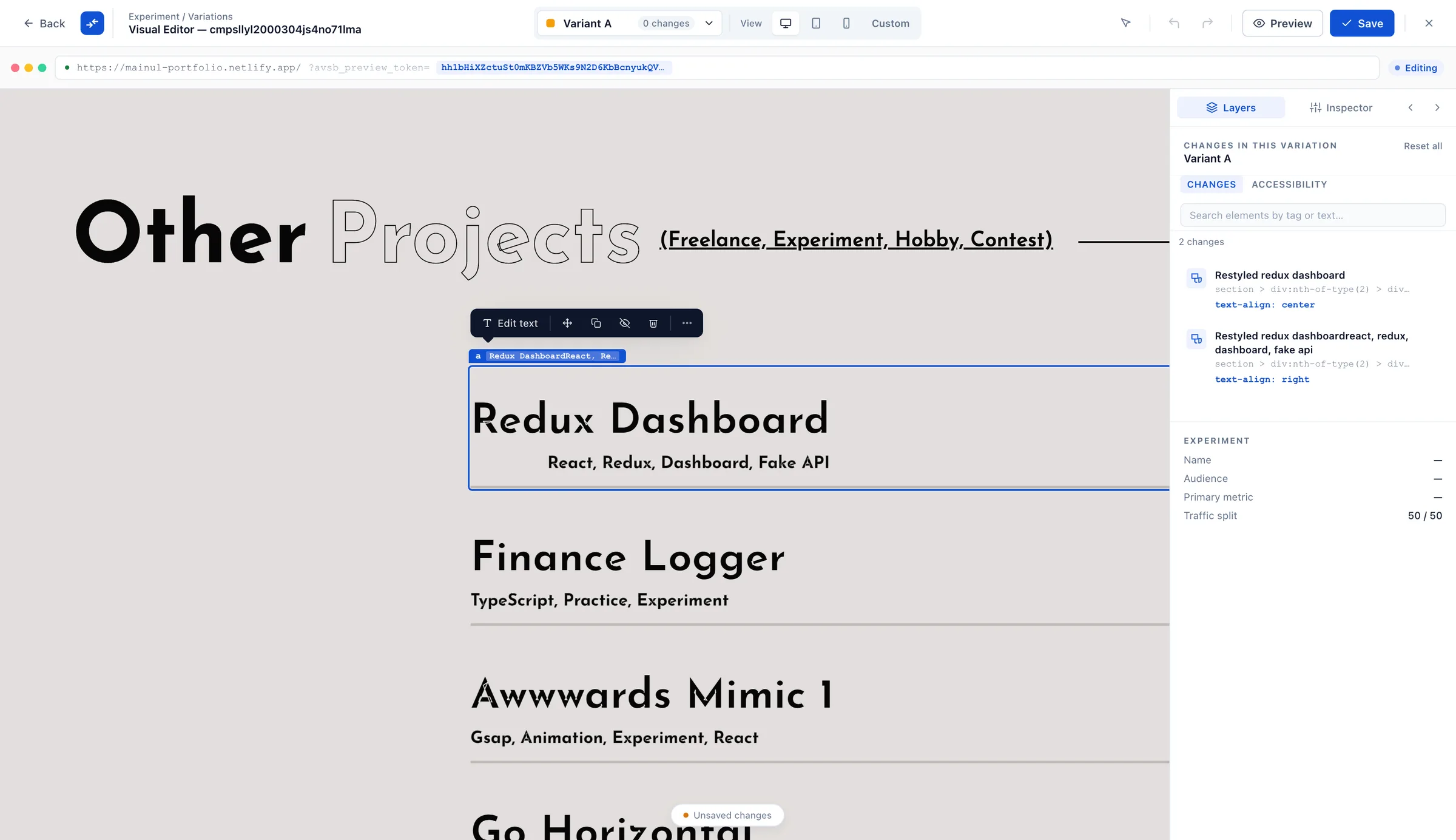
Every edit becomes a row you can read without being a developer, instead of one block called “variation”. Edit the same headline three times and it stays one row, showing where it started and where it ended up. Change the colour of that headline and you get a second row, because it is a different kind of change.
- TypeWhich kind of change it is, so a styling tweak never hides inside a layout move.
- ElementThe element it targets, written out and editable, so you can point a row somewhere else instead of deleting it and starting again.
- ScopeThe screen widths it applies to, when you picked some rather than all of them.
- ExplainAsk any row what it does and get the answer in plain English.
- RemoveTake the row out. That is the undo, and it works the same whether you made the change or the copilot did.
Making a change does not put it live
Saving in the editor saves a draft of the experiment, and every save is kept, so you can try things without losing work. Nothing reaches a visitor until somebody launches it, and launching is its own deliberate step, not something that happens when you close the editor.
Before then you can share what you built. A signed preview link shows one variation on the real page to whoever you send it to. They need no account, the link expires, and you can revoke it. Their visit is marked as preview traffic before the first exposure is recorded, so it stays out of the statistics, and the number left out is shown next to the result rather than quietly dropped.
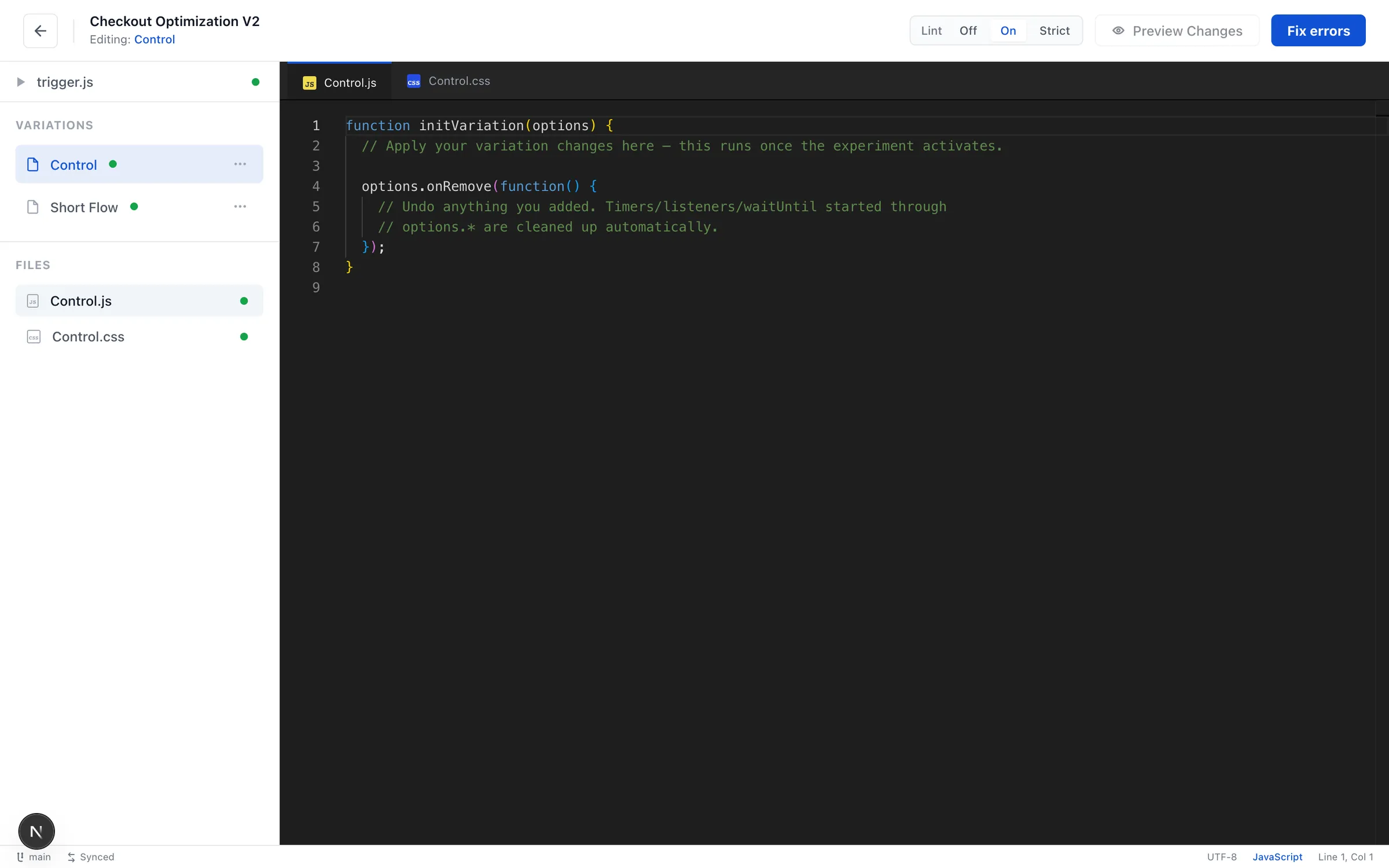
Open the same variation as code.
Pointing and clicking covers most of what a test needs. When it does not, the same variation opens as code, in a real editor with autocomplete. You never have to choose between the two at the start.
Each variation gets its own script and style files, plus a shared trigger block that decides when the experiment activates. You write scripts in JavaScript, and TypeScript and styles in CSS, and SCSS.
Shared type definitions sit at two levels: one file for an experiment’s variations, and one for the whole project. They are types only, so nothing from them is sent to a visitor’s browser.
1// variant.ts: runs once this variation is applied2const badge = document.querySelector<HTMLElement>('.pdp-shipping')3
4if (badge) {5  badge.textContent = 'Free delivery, arrives Thursday'6  badge.dataset.emphasis = 'high'7}
Set how strict the code checks are
Three levels, set per experiment and again for the code that runs across your whole project. The last one matters most: strict does not just complain, it refuses the save until the type errors are gone.
- OffNothing is flagged. Write what you like.
- OnProblems are underlined as you type. Saving still works.
- StrictStricter checks, and a type error blocks the save until you fix it.
Describe the change. Review what it built.
Type what you want in plain English and the copilot edits the real page. What comes back lands in the same change list you just read about, one row per change, waiting for you. Keep a row, point it somewhere else, or remove it, all before anything is saved and long before anything is live.
It can do two things a click cannot: remove element, and custom behaviour. Those two sit outside the point-and-click set on purpose, and each one carries its own checks. The last section on this page goes through them one at a time.
It can also make an image for you, or fetch one of yours from a web address. It changes the frame the picture sits in rather than cutting the picture itself, so what you see in the change list is what a visitor gets.
Undo works on a copilot change exactly the way it works on one you made by hand, because it is the same row in the same list. There is no separate AI undo to learn.

It writes in your house style
Before it proposes anything, it reads your page as it renders: your real colours, type, spacing, and a sample of the components already sitting there. You do not upload a style guide. It looks at the site.
Then every colour and size it proposes is checked against those values, and no AI model takes part in that check. A near miss for something you already use snaps to what you already use. A genuinely new value is kept exactly as written, flagged, and offered a one-tap snap to the closest match you have. It is never silently changed and never dropped, so a deliberate off-brand choice survives instead of being tidied away.
What the copilot cannot do.
Nothing about your page or your data leaves the browser until you send a message. What goes with it is only the part of the page your request touches, trimmed to a size limit, with scripts and hidden content taken out first. What does go is not kept by the service that routes it, and is never used to train models. On top of that, five hard limits apply.
It cannot delete your content
Ask it to remove something a person built and it hides that thing instead, reversibly: the element leaves the layout and stays on the page. Only what the copilot itself created can truly be removed. An ownership record and markers on the page enforce that, not an instruction to the model.
Its code is checked for calls off your site
On every save we read the JavaScript ourselves, byte by byte, whatever the copilot says its own code does. We look for network calls to anywhere outside your own domains, including addresses put together while the code runs. Find one and saving stops until you confirm it.
It is checked again for touching what it did not build
A second check on the same save looks for code that would rewrite parts of the page the copilot did not create. That needs the same explicit confirmation from you before it can be stored.
One edit cannot run away with the page
How much of the page a single edit can replace is capped against the size of the thing it was asked to change. An edit that reaches too far is held back, with a notice asking you to narrow it, rather than shipped and found later.
It never launches, pauses, stops or archives
The four decisions that put a change in front of visitors are never made by the copilot. It prepares the recommendation, explains its reasoning, and hands you back to the control that does it.
How you get it, and what it costs.
The editor runs as a Chrome add-on, so it can sit on top of your own live site rather than a copy of it. You install it once and open it from any experiment.
You get the copilot for your whole organization as soon as billing details are on file. There is no per-project switch to hunt for and no per-seat add-on to buy.
Each copilot action has one small price, listed on the pricing page, and is added to that month’s bill with the rest of your usage. There is no allowance to run out of and nothing to buy ahead of time.
The free plan does not include AI. The copilot and the assistant are the one thing it leaves out. Free still covers your first 10,000 visitors a month, with no card and no trial clock.
Serious statistics.
Made effortless.
Start free for your first 10,000 visitors a month. No card, and not a trial.