Skip to content
A/B testing + feature flags, in one platform

Ship what wins.
Not what you think will win.

A vs B is the A/B testing and feature-flag platform for teams who’d rather measure than meet. Build variations in JavaScript, TypeScript, CSS, or SCSS, bucket users with a 18.8 KB gzipped snippet, and read results in Bayesian, Frequentist, or Sequential.

Google AnalyticsMixpanelSegmentAdobe AnalyticsAmplitudeHeapFullStoryContentsquareCustom webhookBayesian statsFrequentist statsSequential stats@avsbhq/js@avsbhq/node@avsbhq/react@avsbhq/next@avsbhq/vue@avsbhq/svelte@avsbhq/solid@avsbhq/angular@avsbhq/react-native@avsbhq/browser@avsbhq/edgeCLIBrowser extensionJavascriptTypescriptCSSSCSSWebhooksCustom rolesAudit logsAnti-flickerGoogle AnalyticsMixpanelSegmentAdobe AnalyticsAmplitudeHeapFullStoryContentsquareCustom webhookBayesian statsFrequentist statsSequential stats@avsbhq/js@avsbhq/node@avsbhq/react@avsbhq/next@avsbhq/vue@avsbhq/svelte@avsbhq/solid@avsbhq/angular@avsbhq/react-native@avsbhq/browser@avsbhq/edgeCLIBrowser extensionJavascriptTypescriptCSSSCSSWebhooksCustom rolesAudit logsAnti-flicker
01 — The result

See which version wins.

Real product UI · seeded sample data
  1. Read the outcome

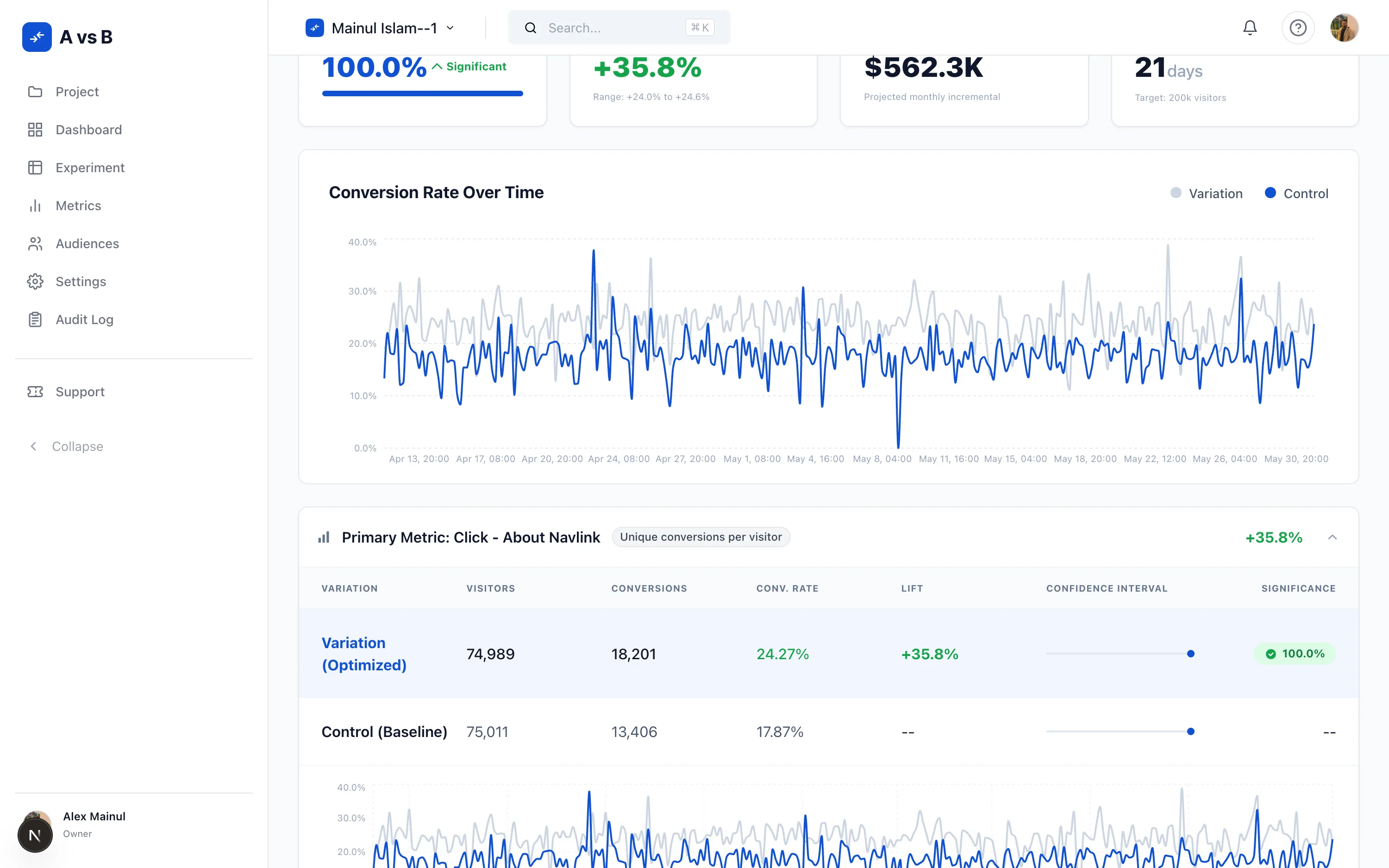
    Winning probability, observed lift, projected revenue impact, and days to your sample-size target — up top.

    Results summary cards: 100% winning probability, +35.8% observed lift, $562.3K projected revenue impact, and 21 days remaining
  2. Slice it any way

    Filter by date range, baseline, and segment — device, country, browser, platform, language, or new vs returning.

    Results filter bar with date range, baseline, and an open segment dropdown listing device, country, user type, browser, platform, and language
  3. Three engines, one dataset

    Read the same experiment through Bayesian, Frequentist, and Sequential side by side — agreement reassures, disagreement informs.

    Compare engines panel: Bayesian, Frequentist, and Sequential results for the same experiment side by side
  4. Every arm, in detail

    Visitors, conversions, conversion rate, lift, confidence interval, and significance for every variation.

    Per-variation results table showing visitors, conversions, conversion rate, lift, confidence interval, and significance
  5. Trust the number

    Segment lift across six dimensions, plus SRM, statistical-confidence, and traffic-health guardrails.

    Segment lift across device, country, user type, browser, platform, and language, with SRM, confidence, and traffic-health guardrails
  6. Ship it your way

    Traffic allocation, A/A validation, and a code editor for each variation.

    Experiment variations builder showing traffic allocation between control and variation with per-variation code editors
You have opinions.
Your users have behaviors.
Let them vote.
A vs B · operating manual · page 001
02 — Walkthrough

See it work.
Scene by scene.

01 — Overview

Every experiment and flag in one place.

The dashboard surfaces all your experiments and feature flags at a glance — lifecycle status (Draft, Scheduled, Running, Paused, Completed), key metrics, and quick actions, so nothing slips through.

02 — Results

Statistical readout, no guessing.

The results page shows per-variation visitor counts, conversion rates, and a time-series chart bucketed at 4-hour intervals (ClickHouse INTERVAL 4 HOUR). Health guardrails surface sample-ratio mismatches before you draw conclusions.

03 — Targeting

Precise audiences, nested rules.

Define who sees each variation using the five-step guided builder. Targeting is step one: compose AND / OR audience conditions, reuse segments across experiments, and ship to exactly the right users.

04 — Variations

Code-block builder. JS, TS, CSS, or SCSS.

Write control and variant code directly in Monaco with full TypeScript support. The five-step builder walks you through Targeting → Variations → Metrics → Analysis → Review before anything goes live.

A vs B dashboard showing the full list of experiments and feature flags
  1. 01 — Overview

    Every experiment and flag in one place.

    The dashboard surfaces all your experiments and feature flags at a glance — lifecycle status (Draft, Scheduled, Running, Paused, Completed), key metrics, and quick actions, so nothing slips through.

    A vs B dashboard showing the full list of experiments and feature flags
  2. 02 — Results

    Statistical readout, no guessing.

    The results page shows per-variation visitor counts, conversion rates, and a time-series chart bucketed at 4-hour intervals (ClickHouse INTERVAL 4 HOUR). Health guardrails surface sample-ratio mismatches before you draw conclusions.

    Experiment results page showing per-variation conversion rates and a time-series chart
  3. 03 — Targeting

    Precise audiences, nested rules.

    Define who sees each variation using the five-step guided builder. Targeting is step one: compose AND / OR audience conditions, reuse segments across experiments, and ship to exactly the right users.

    Experiment targeting configuration screen showing audience rules
  4. 04 — Variations

    Code-block builder. JS, TS, CSS, or SCSS.

    Write control and variant code directly in Monaco with full TypeScript support. The five-step builder walks you through Targeting → Variations → Metrics → Analysis → Review before anything goes live.

    Experiment variations editor showing code blocks for control and variant
03 — Experiment builder

Build any variation. Point-and-click or pure code.

The visual editor browser extension lets non-engineers create variations without touching code. The code builder gives engineers full TypeScript control — with linting, SCSS, and draft history — in the same experiment.

6change types
5viewport targets
4max variations
3browsers supported
AvsB Visual EditorChrome · Firefox · Edge
AllMobileTabletDesktopCustom
TEXTSTYLEVISIBILITYIMAGEREORDERINSERT
Visual editor inspector: a selected heading with typography, alignment, text color, background, and spacing controls — edited point-and-click, no code
Inline rich-text toolbar over selected copy — bold, italic, underline, link, and inline code — plus Edit variation CSS and Insert HTML blockImage element inspector: source URL, alt text, appearance, spacing, and raw HTML attributes (src, alt, class, draggable)Changes in this variation: every restyle and alignment edit tracked per element, with the experiment summary alongsideVariation change list showing inserted blocks, hidden elements, and replaced elements — each change type labelled
  • Point-and-click modifications across text, styles, visibility, images, reordering, and HTML insertion — no code required.
  • Draft history preserves version snapshots by experiment, author, and base version — restore to any previous state.
  • Preview links share any variation via token-based URL (30–90 day expiry, revocable) — no account required.
04 — Feature flags

Not just experiments. Feature flags, first-class.

A vs B is a feature-flag platform too. Boolean, string, number, and JSON flags — with targeted-delivery or A/B-test rules evaluated by the same audience engine as your experiments, in the browser snippet or your server SDKs. Per-user overrides, environment config, and stale-flag detection are built in.

4flag types
environments
4variations / rule
14dstale-flag check
Flags
BooleanStringNumberJSON
  • new-checkoutTargeted delivery100% · prod
  • ai-autocompleteA/B test25% · staging
  • legacy-pricingStale — flagged0% · archived

Create your own environments — prod, staging, dev, and beyond, each with its own SDK key. Instant rollout and rollback, no redeploy.

05 — Statistical rigor

Three engines.
One platform.

Engine comparison
BayesianFrequentistSequential
MethodBeta-Binomial modelTwo-proportion z-testAsymptotic Confidence Sequences
PriorBeta(1,1) — flat, non-informativeNone (pooled variance)None (AsympCS, Howard et al. 2021)
Primary outputProbability to beat controlp-value + confidence intervalAlways-valid p-value
Interval95% credible interval95% confidence intervalAnytime confidence sequence
Peeking penaltyNoneYes — fixed horizon requiredNone — stop any time
CUPED / variance reductionAUTO or OFFAUTO or OFFAUTO or OFF
Multiple-comparison correctionBonferroni · Holm · BH · Tiered · NoneBonferroni · Holm · BH · Tiered · NoneBonferroni · Holm · BH · Tiered · None
ROPEOptional — configurable bounds
Metric aggregation measures
  • binary

    Unique Conversions Per Visitor

    One conversion counted per visitor regardless of how many times the event fires. Classic click-through and sign-up metric.

  • count

    Total Events

    Raw count of all qualifying events, including multiple per visitor. Good for page-view and engagement depth signals.

  • binary

    Unique Visitors Who Fired

    Distinct visitor count across any matching event. Useful for reach and funnel-entry measures.

  • continuous

    Total Value Per Visitor

    Sum of a numeric property divided by exposed visitors. Revenue per visitor, pages per session.

  • continuous

    Total Value

    Raw sum across all events. Use for absolute revenue or engagement lift rather than per-head rates.

  • advanced

    Percentile

    p0–p100 quantiles via ClickHouse quantileTDigest. Confidence intervals via bias-corrected bootstrap (default 1,000 resamples).

  • advanced

    Rate (ratio)

    Numerator divided by denominator across all visitors. Delta-method variance estimation for correct standard errors on ratio metrics.

  • advanced

    Composite (weighted)

    Weighted sum of multiple metric bindings with per-component covariance handling. Model a revenue-weighted engagement score in one metric.

All continuous and ratio metrics support winsorization — extreme values are capped at a configurable upper percentile (default p99) and optional lower percentile before statistical computation.

Health guardrailsillustrative
SRM (chi-square)
p ≥ 0.01
0.001–0.01
p < 0.001
Statistical confidence
≥ 95%
80–94%
< 80%
Traffic health
1,000+
100–999
< 100
Sample size calculator
Sample size calculator showing power, MDE, and traffic inputs

Analysis plans

Pre-register hypotheses before launch. Plans seal at launch (locked read-only) and every amendment records the timestamp, actor, field name, before/after values, and reason.

A/A test mode

Validate your statistical engine and experiment setup via the isAATest flag, which runs a control-to-control comparison to confirm calibration before a live experiment.

Sample size calculator

Supports binary conversions (Frequentist, Bayesian, and Sequential engines), ratio metrics (delta-method variance), quantile percentiles (bootstrap simulation), and composite metrics (weighted pairwise correlation).

06 — The platform

Everything you need.
Nothing you don’t.

Code-block builder. JS or TS, CSS or SCSS.

Define control.ts and variant.ts plus a shared triggers.ts. Monaco ships TypeScript types for window.avsb.*, so autocomplete works out of the box. SCSS compiles in-browser — no bundler required.

variant.ts
1// variant.ts — runs when triggers.ts calls activate()
2import { options } from './triggers';
3
4const btn = document.querySelector<HTMLButtonElement>('.checkout-cta')!;
5btn.textContent = 'Claim 30% discount';
6btn.classList.add('urgency');
7
8window.avsb.track.event('purchase', { revenue: 49 });

Metrics, defined once.

Define click, pageview, and custom metrics at the project level — instrument once, reuse across every experiment and flag without re-instrumentation.

  • ClickCSS selector-based
  • PageviewURL pattern-based
  • CustomApplication code-fired

Flag rules. Two types.

Boolean, String, Number, and JSON flags. AB_TEST rules split traffic and wire to metrics. Targeted Delivery rules deterministically route by audience. Up to 4 variations. Per-user overrides always win.

  • AB_TESTTraffic split · metrics-wired
  • TARGETED_DELIVERYDeterministic rollout · audience-gated

19 KB gzipped snippet. Anti-flicker included.

Drop the script in your <head>. Loads from CDN as a single 60 KB minified file (18.8 KB gzipped). Anti-flicker hides the document via opacity:0 with a 3-second timeout. MurmurHash3 sticky bucketing into a 0–9999 integer space.

html
1<!-- In your <head>, as high as possible -->
2<script src="//cdn.avsb.cloud/snippet.js"
3 data-avsb="YOUR_SNIPPET_KEY"></script>
4
5// Track a conversion
6window.avsb.track.event('purchase', { revenue: 49 });

Feature flags, first class.

Boolean, string, number, and JSON flags. Targeted delivery or A/B test rules. Up to 4 variations per rule. Create your own environments. Per-user overrides. Stale-flag detection after 14 days of no change.

  • new-checkout100% · prod
  • ai-autocomplete25% · staging
  • legacy-pricing0% · archived

CLI for local dev.

Published as @avsbhq/cli v3.2.0. Clone an experiment, edit locally, preview live via the browser extension, push when ready. avsb dev opens a WebSocket server with live reloading.

bash
1$ npm i -g @avsbhq/cli
2$ avsb clone <projectId>
3$ avsb dev # WebSocket + live reload
4$ avsb push

Browser extension.

Chrome MV3. Preview variations on the live page. Toggle Page Reload (safe) or Hot Inject (experimental) mode in the popup. Watch events stream in real time.

signup-ctavariant B
hero-copycontrol
● EXPOSURE · hero-copy · variant A

Server-side SDKs.

@avsbhq/node for Node 18+ with Express and Fastify middleware, InMemory and Redis sticky bucketing, SSE streaming. @avsbhq/react wraps useSyncExternalStore for React 18. @avsbhq/next covers App Router and Pages Router.

typescript
1import { AvsBServer } from '@avsbhq/node';
2const avsb = new AvsBServer({ sdkKey });
3const value = await avsb.evalFlag('new-checkout', false, ctx);

9 integrations + webhooks.

Send exposure and event data to your analytics stack. One-click setup with API keys.

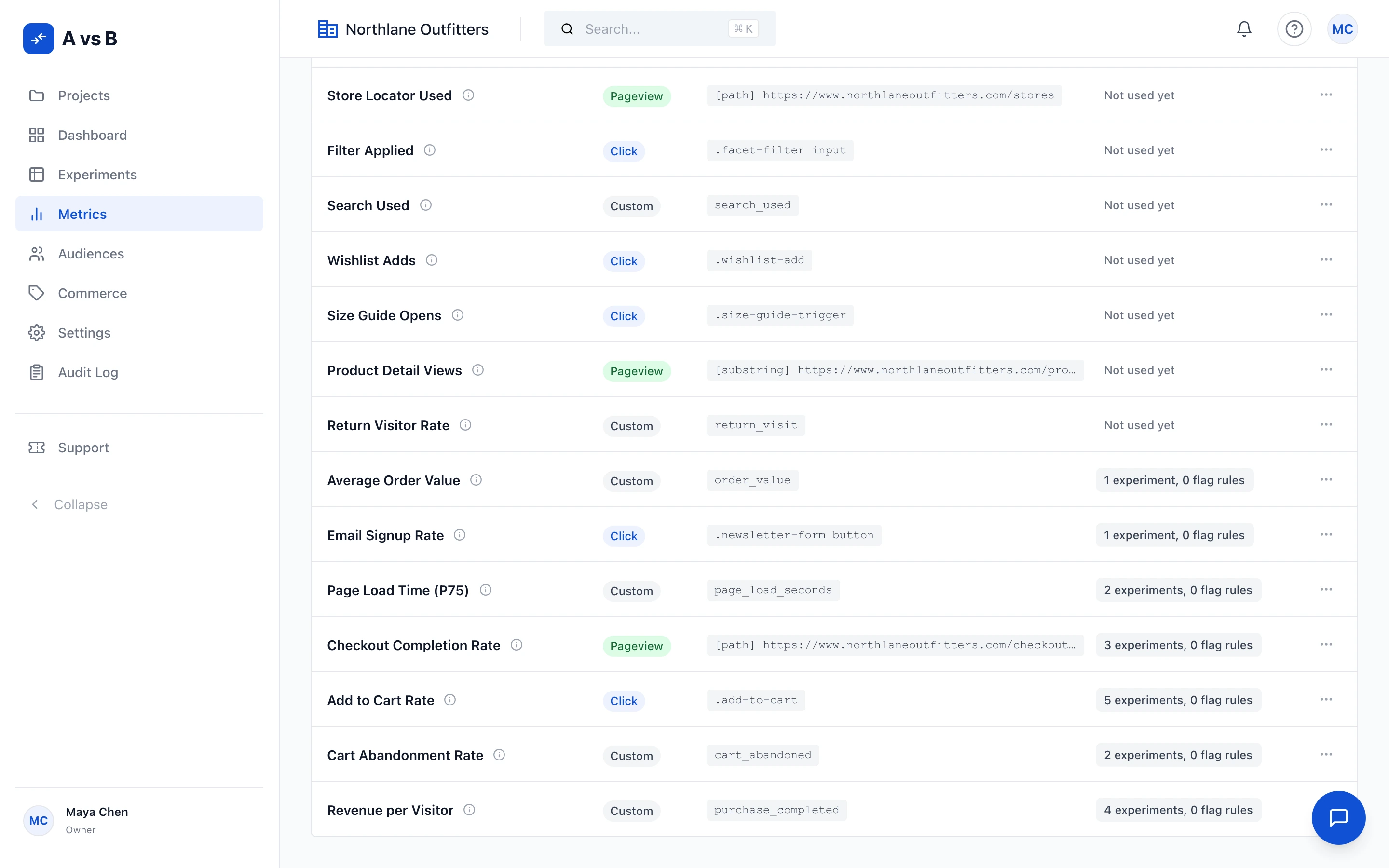
Integrations settings page showing all analytics providers
  • Google Analytics
  • Mixpanel
  • Segment
  • Adobe Analytics
  • Amplitude
  • Heap
  • FullStory
  • Contentsquare
  • Custom + webhooks

Audiences, nested.

10 condition types — nested AND / OR at arbitrary depth. Reusable segments across experiments and flags.

Audience builder showing nested AND/OR condition logic
  • Location
  • Device
  • Browser
  • Platform (OS)
  • Language
  • Query param
  • Cookie
  • New vs returning
  • Custom attribute
  • Custom JavaScript

Governance built in.

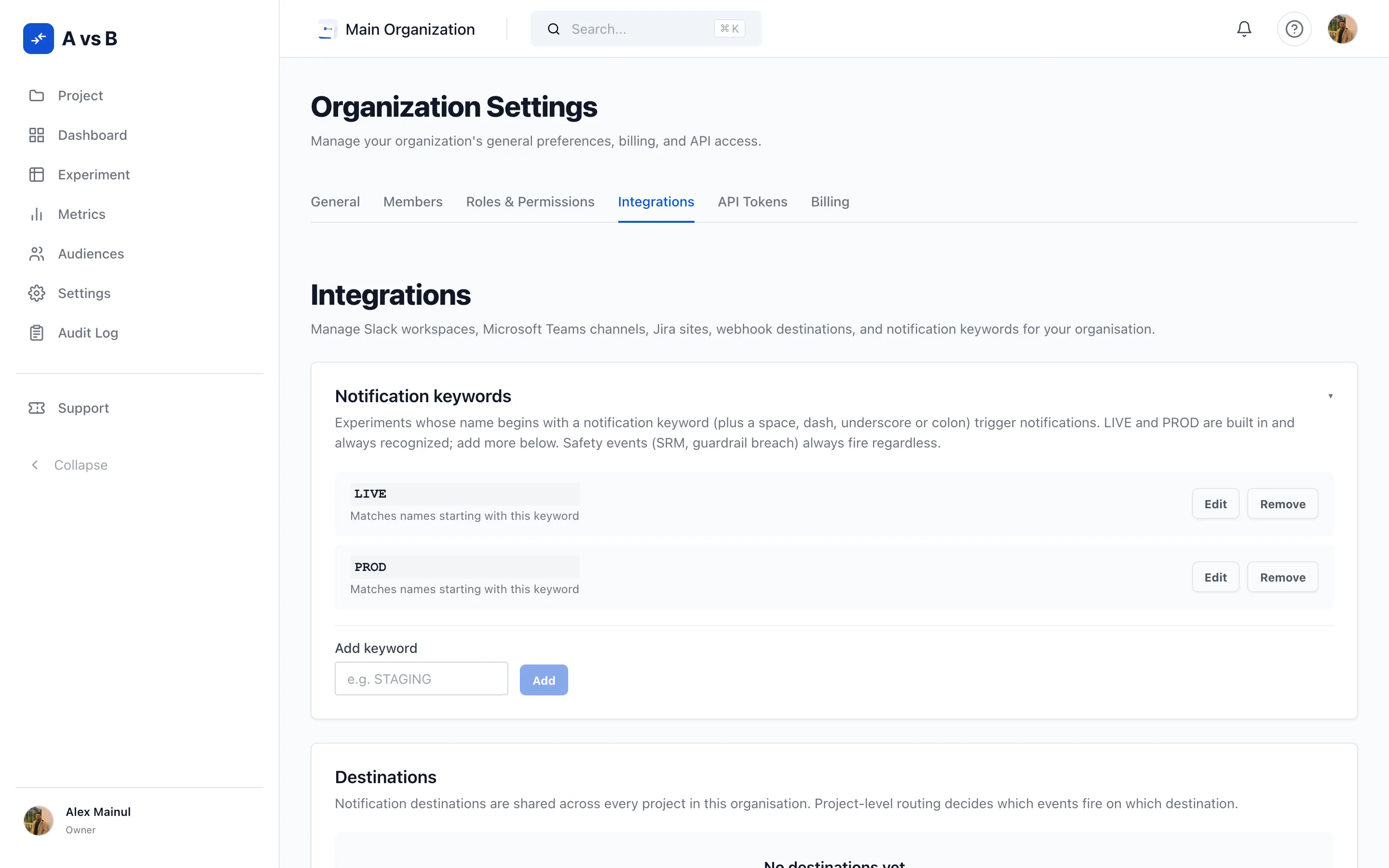
Custom roles with granular permissions. Audit logs on every change. 2FA. Per-environment config across every environment you create. API tokens. Webhooks on key events.

Custom roles settings showing granular permissions for each role
Custom roles
Audit logs
2FA
Custom environments
API tokens
Webhooks
Stop shipping
on a hunch.
Ship on evidence.
A vs B · operating manual · page 002
07 — The loop

Four steps. Zero guessing.

  1. 01

    Hypothesize.

    State what you expect. Attach the target audience and the primary metric.

    H₁: B > A by ≥ 10%
  2. 02

    Build it your way.

    Visual editor for non-engineers — or JS / TypeScript + CSS / SCSS code blocks for engineers. Up to 4 variations per rule, Monaco autocomplete included.

  3. 03

    Run — safely.

    Snippet buckets the visitor. Anti-flicker hides the page until variations apply. Exposure + conversion events stream to ClickHouse.

  4. 04

    Decide.

    Bayesian, Frequentist, or Sequential — your call. Probability to beat control, credible or confidence interval, always-valid bound, SRM check, traffic-health band.

    ✓ Ship variant B
08 — Governance

Auditable by design.
Not by accident.

Analysis plans — sealed at launch

Before your experiment goes live, commit your primary metric, statistical engine, and confidence target. The plan locks the moment traffic starts — it becomes read-only. Every subsequent amendment is timestamped, attributed to an actor, and records the field name, the before value, and the after value with a mandatory reason.

Pre-registrationSealed at launchAmendment trackingRead-only history
Amendment log3 amendments
  • 2024-03-12 09:14o.hartleyprimaryMetricrevenuecheckout_rate
  • 2024-03-14 11:02n.fletcherminSampleSize5 0008 000
  • 2024-03-15 16:45o.hartleyconfidenceTarget90%95%

Early-stopping protection

Frequentist experiments get three interlocking guards against peeking bias.

01Sample progress banner

A status strip shows sample collection progress so you know when you can trust the numbers.

02Blocking modal

Pause, stop, or declare-winner actions raise a modal that forces acknowledgment before proceeding.

03Override audit stamp

When a team member overrides the guard, the decision is recorded in the audit log with a timestamp and actor.

Decision logging — @avsbhq/node

Server-side SDK ships a createDecisionLog helper. Wire it into your own audit store or any structured log sink. Every decision — which variant was served, to which user, under which experiment — is captured as a structured record.

typescript
1import { AvsBServer, createDecisionLog }
2 from '@avsbhq/node';
3
4const avsb = new AvsBServer({ sdkKey });
5
6// returns the chosen variant + a structured log entry
7const { variant, log } = await avsb
8 .decide('checkout-cta', ctx);
9
10await db.auditLogs.create({
11 data: createDecisionLog(log)
12});

Auto-pause on error

When a variation’s error rate exceeds a configurable threshold (default 25%), the experiment pauses automatically. The error log tracks JavaScript exceptions, failed applies, and selector misses — with severity levels and error rates shown once the sample exceeds 50 exposed visitors.

Lifecycle with guard rails

Pausing stops new visitor bucketing and reverts active visitors to control — data is preserved and bucketing restarts on resume. Stopping is permanent: the experiment moves to Completed, all variation code is removed from production immediately, and historical results are preserved.

Audit log screen showing a timestamped history of experiment changes
Audit log — every change, timestamped and attributed
Roles and permissions settings screen
Roles — granular access per action
Team members management screen
Members — invite, seat, and manage your team
09 — Under the hood

Real numbers.
No fluff.

Analytics integrations
9
plus webhooks
Audience conditions
10
nested AND / OR
Stats engines
3
Bayesian · Frequentist · Sequential
Snippet size
18.8KB
60 KB minified · zero deps
10 — Pricing

A plan for every
stage of growth.

  • Starter

    Everything you need to run your first experiment.

  • Enterprise

    For agencies and enterprises with real traffic.

Stop debating.
Start measuring.

Start free. Team and Enterprise when you’re ready.